Before you start.
- An email address you read every day. It is how you sign in, and where your confirmation arrives.
- Your billing details. The legal or business name and the address that go on your receipts.
- A credit or debit card, for the $99 first month.
- Ten minutes to read what you accept: the Terms of Service, the Privacy Policy and the Billing Policy.
Step 1: Start with your email.
Open app.tiriel.ai/onboarding, or choose Start with $99 anywhere on this site. Type your email and continue. You can also sign up with your Google or Microsoft account.
The address is app.tiriel.ai/onboarding. Use the email you want to sign in with from now on. If that email already has a Tiriel account, you are sent to sign in instead of starting a second one.
jorge@ridgelinedispatch.com
Step 2: Confirm your email.
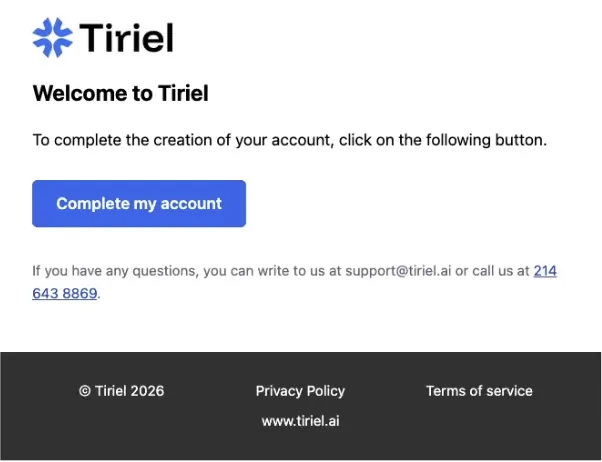
Tiriel sends a confirmation email to the address you typed, and the next screen shows the address it went to. Open the email and choose the button inside to confirm that the address is yours.
The email is titled “Welcome to Tiriel”, and its button reads “Complete my account”. If it doesn’t arrive, check the spam folder first.
- If the link has expired, the page says so and offers a new confirmation email.
- If you open the link twice, nothing breaks. It never creates a second account.
Step 3: Set your password.
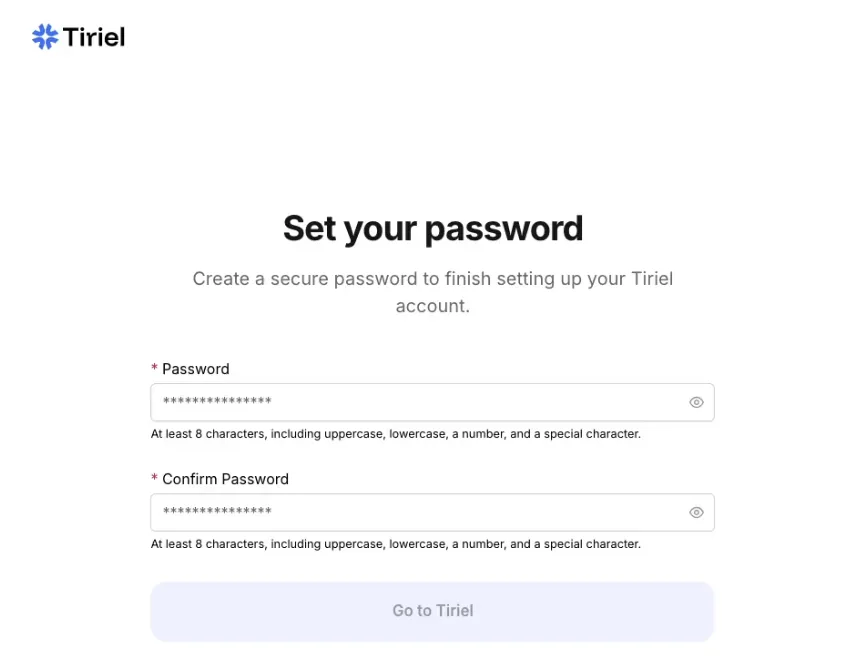
The confirmation link opens the password screen. Type a password twice. It needs at least 8 characters, with an uppercase letter, a lowercase letter, a number and a special character.
The Go to Tiriel button stays off until the password meets the rule and both fields match. Next, Tiriel shows the Terms of Service and the Privacy Policy on one page: read them and choose I accept the Terms of Service and the Privacy Policy. Your acceptance is recorded.
Step 4: Pay for your first month.
Before your account activates, you enter the billing details for your receipts, accept the Terms of Service and the Billing Policy, and pay $99 by card on a secure payment page. Sales tax is added at checkout where it applies.
You don’t choose a plan here. Month 1 is one price for everyone, however many trucks you add. Your card details are typed on the payment page, never in Tiriel.
Your account activates when the payment is confirmed, not before. If the card is declined, nothing is charged. Try another card, or come back later: the price is the same.
- Today
- $99 + sales tax where it applies
- Agents
- All six, for 30 days
- Trucks
- Unlimited in month 1
- Plan
- None to choose now
Your card is typed on the payment page. Tiriel never sees the number.
Step 5: Sign in.
From now on, sign in at app.tiriel.ai with your email and password. If you signed up with Google or Microsoft, choose Continue with Google or Continue with Microsoft instead.
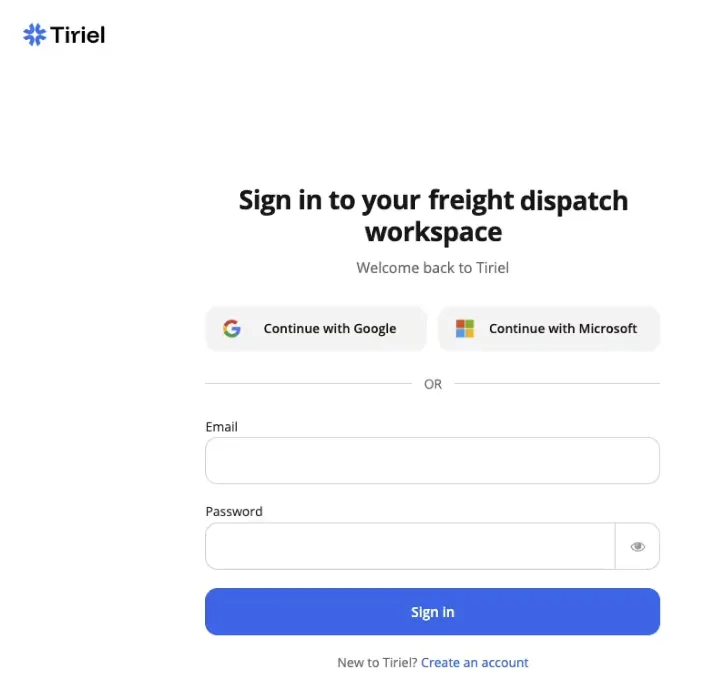
The address is app.tiriel.ai, and Log in at the top of this site goes to the same place. Tiriel signs you out after 25 minutes without activity, counted across every tab you have open.
What month 1 includes.
Your first month is $99, with unlimited trucks and the full platform. It is not a trial and not a deposit: it is the whole price of month 1.
- All six agents, for 30 days: Auditor, Planner, Scout, Closer, Coordinator and Expeditor.
- Unlimited trucks. Month 1 stays at $99 however many you add.
- Verification of every truck you add: the authority it runs under, its insurance and who operates it.
- Onboarding support, as listed in the Billing Policy.
Nothing else is charged in month 1.
The first-month guarantee.
If not a single load for any of your trucks gets negotiated and waiting for your OK, or booked directly, during the guarantee period, your $99 comes back. It covers the system, not a change of mind. A READY load is one that is ready for your approval in Dispatch center.
The conditions, in short:
- At least one truck was registered with its USDOT number, unit number and the assigned driver’s phone, and load searching was active for it for at least 120 hours inside the days and hours you set.
- Tiriel had a way to work: a load board account connected for at least 15 calendar days, or at least 5 loads received another way: your connected inbox, the browser extension or manual entry.
- Nothing made booking impossible for your trucks, such as a revoked authority.
- You completed your initial setup, or used the onboarding support, within your first 7 days.
If our records show Scout didn’t run because of something on our side, such as search left off after setup, those hours count for you.
A change of mind, not having time to set it up, or loads you chose not to authorize don’t qualify. If you just want out, cancel before your first charge: the plan is never charged, and the $99 is not refunded.
The refund is something you ask for. Write to support@tiriel.ai by the day of your plan notice, 7 days before your first charge. We answer in writing before that charge. If it is approved, the $99 goes back to your original payment method within 5 business days, the account is cancelled and your plan is never charged. The Billing Policy has the full text, and it is the one that counts.
From month 2.
From month 2 you pay by trucks counted. Seven days before your first monthly charge, Tiriel counts the trucks on your account and assigns the plan that fits. You get a notice at least 7 days before the charge, with the plan, the trucks and the amount.
| Plan | Trucks | Monthly |
|---|---|---|
| Starter | Up to 5 | $349 |
| Growth | 6–12 | $699 |
| Pro | 13–20 | $1,199 |
| Enterprise | 21–35 | $1,999 |
Starter is the minimum. With 36 trucks or more, write to support.
- What counts. A truck counts while it is active or paused. An archived truck doesn’t. The driver never changes the count.
- Before the count. Archive any truck you don’t plan to run, so it isn’t counted.
- Cancel any time, monthly. If you cancel during month 1, no monthly charge is ever made.
What happens next.
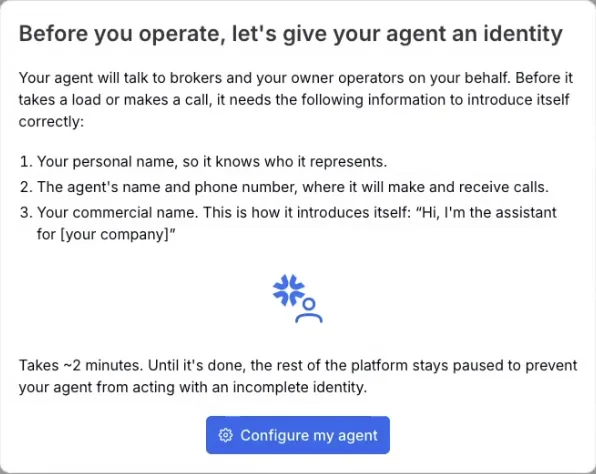
Your account is open and empty: no number, no inbox, no trucks. Your first screen is Agents › Channels. Before anything else, Tiriel asks you to give your agent an identity: your name, the agent’s name and number, and your operation’s commercial name. It takes about two minutes, and until it is done the rest of the platform stays paused.
The next guide walks the whole first day on one page, from your first sign-in to your first booked load. The guides after it take each part slowly.
If you get stuck at any step, write to support@tiriel.ai or call (214) 643-8869.